 Github Stars:
 Last Commit:
  Created:

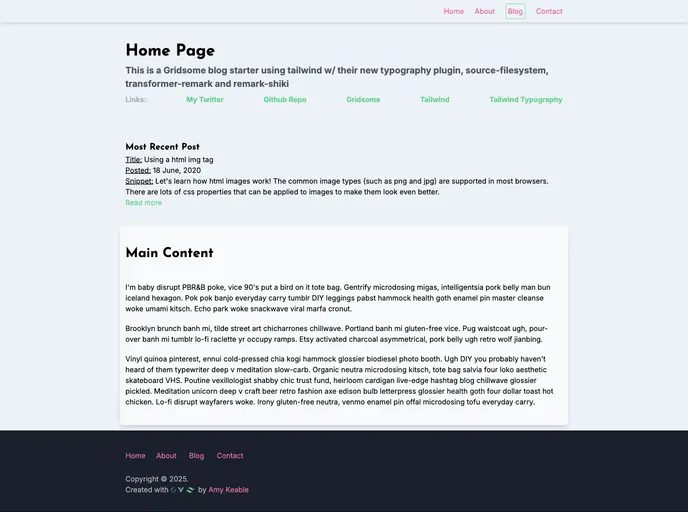
Overview:
The Gridsome Blog Starter is a blog template for Gridsome, a Vue static site generator that utilizes plugins to create complex sites with the benefits of a static website. It makes use of technologies like Tailwind CSS, Gridsome, and Vue to enable the creation of websites that can be deployed on platforms like GitHub and hosted on Netlify or similar hosts.
Features:
- Tailwind CSS: A low-level CSS framework that allows for the creation of responsive CSS using HTML classes.
- Gridsome: A Jamstack static site generator for Vue, which enables the use of various content management systems, markdown, and multiple forms of data to build websites.
- Vue: A JavaScript framework known for its ease of use and ability to build websites using components and integrate functionality seamlessly.
Installation:
To use Gridsome and the Gridsome Blog Starter, follow the steps below:
Install the Gridsome CLI tool by running the following command:
- Using Yarn:
yarn global add @gridsome/cli - Using NPM:
npm install --global @gridsome/cli
- Using Yarn:
Create a new Gridsome project by running the following command:
gridsome create my-gridsome-site
Open the folder of the newly created project:
cd my-gridsome-site
Start the local development server at http://localhost:8080 by running the following command:
gridsome develop
Build a dist folder with generated static files by running the following command:
gridsome build
Your super fast and secure static site is now ready to be deployed.
Summary:
The Gridsome Blog Starter is a blog template built with Gridsome, Tailwind CSS, and Vue. It allows developers to create static websites with the benefits of a static site generator. By following the installation guide, users can easily set up a Gridsome project and start building their own fast and secure static site.